FBD editor and PLC logic simulator

  • FBD graphs
  • Step-by-step simulation
  • Saved projects
  • Learning examples
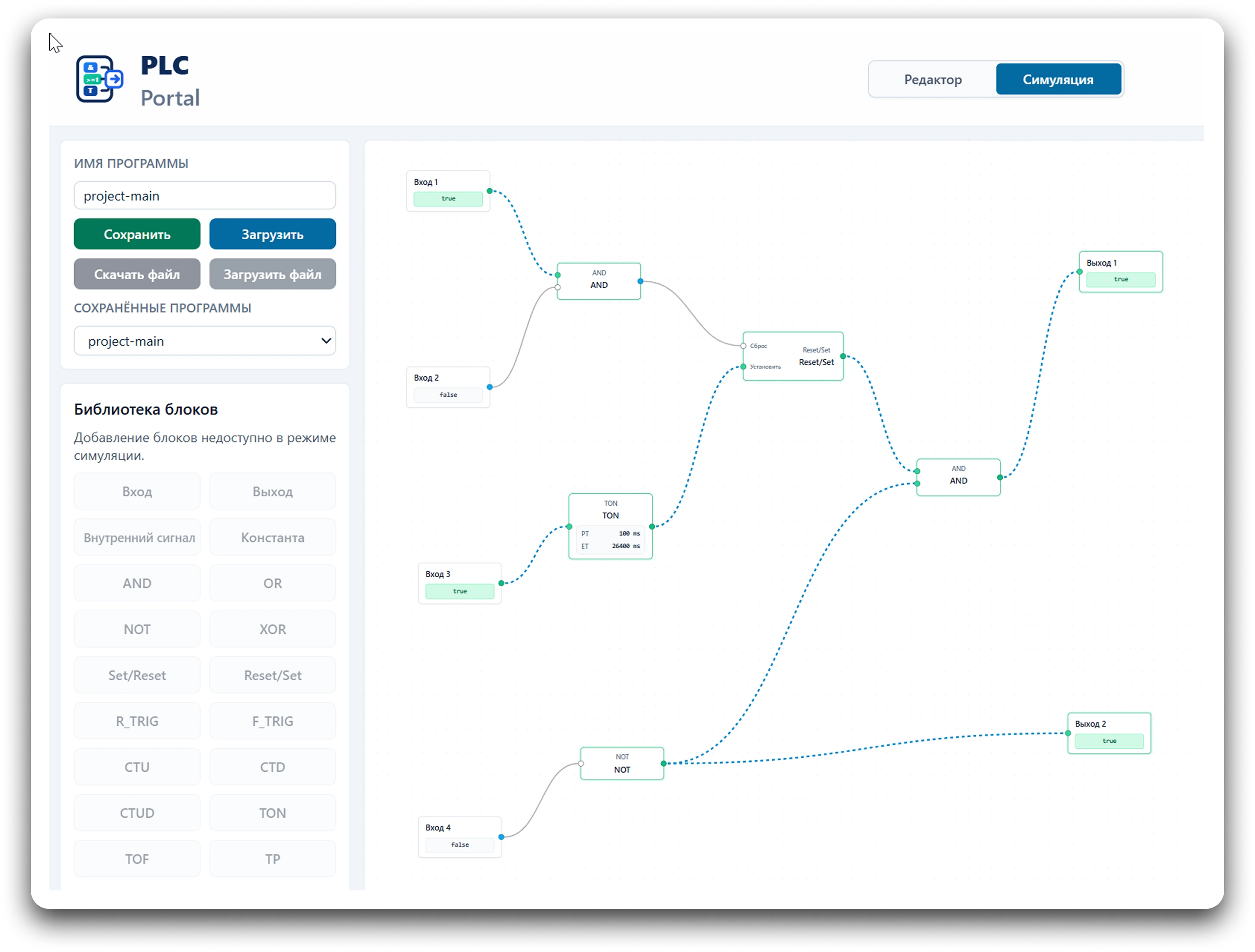
PLC Portal interface with an FBD graph and active simulation

Capabilities

What PLC Portal can do.

PLC Portal combines a visual FBD editor, PLC cycle simulation, and clear diagnostics for learning and prototyping control logic.

Visual FBD program design

Drag inputs, outputs, logic blocks, timers, and counters onto the canvas and connect them like a real function block diagram.

PLC cycle simulation

Watch the simulator read inputs, evaluate blocks, update timers and counters, and write outputs in a clear PLC cycle.

Program execution diagnostics

Follow signal changes, block order, intermediate values, and final outputs directly from the simulator state.

Project saving and sharing

Save programs in your account, export them to JSON, and load projects from a file.

Program examples

Starter patterns for everyday control tasks.

Conveyor start/stop

SR trigger, seal-in contact, and motor command reset.

Load in editor

Delayed motor start

TON timer, on-delay, and output after elapsed time.

Load in editor

Pump start with interlock

AND logic, emergency stop, and start permissive.

Load in editor

RS/SR trigger

Set/Reset priority and output signal state retention.

Load in editor

3×8 decoder

Combinational logic with three inputs and eight outputs.

Load in editor

Two-mechanism interlock

Prevent two outputs from switching on together.

Load in editor

Example library

Open the full list of learning FBD diagrams for loading into the editor.

View library

Learning

Learn PLC and FBD with ready-made programs

13 short lessons and 13 interactive FBD examples. Read the material, open the diagram in the editor, and verify the logic in simulation.

13
lessons
13
ready diagrams
FBD
runs in simulator
Practice
exercise for each example
01

PLC and FBD basics

What a PLC does, how inputs and outputs work, and how to read a simple FBD diagram.

02

Boolean logic

TRUE/FALSE, AND, OR, NOT, and truth tables with ready-made training diagrams.

03

Memory and edges

Internal signals, the PLC cycle, and RS/SR triggers for retaining state.

04

Timers and practical diagrams

TON timer behavior, two-direction interlocks, and conveyor logic in the simulator.

Services

Engineering support for automation and robotics projects

We help customers evaluate technical solutions, improve existing lines, and implement new systems based on PLCs, industrial robots, and production equipment.

Automation project audit

Independent review of integrator proposals: technical solutions, equipment scope, risks, performance, and ease of future operation.

Existing line support

Optimization of PLC and robot programs, productivity improvements, new functions, better diagnostics, and equipment statistics collection.

Development and implementation

New automation and robotics systems based on a technical specification: architecture, algorithms, PLC/HMI/robot programs, integration, and commissioning.

Need an engineering review of your project?

Send a task description, equipment list, or technical proposal — we will assess the risks and suggest a suitable format of work.

Discuss the project