FBD editor and PLC logic simulator

Online FBD simulator for learning PLC logic

Build FBD logic from function blocks, run the simulation directly in the browser, and inspect how signals change across inputs, outputs, timers, and triggers.

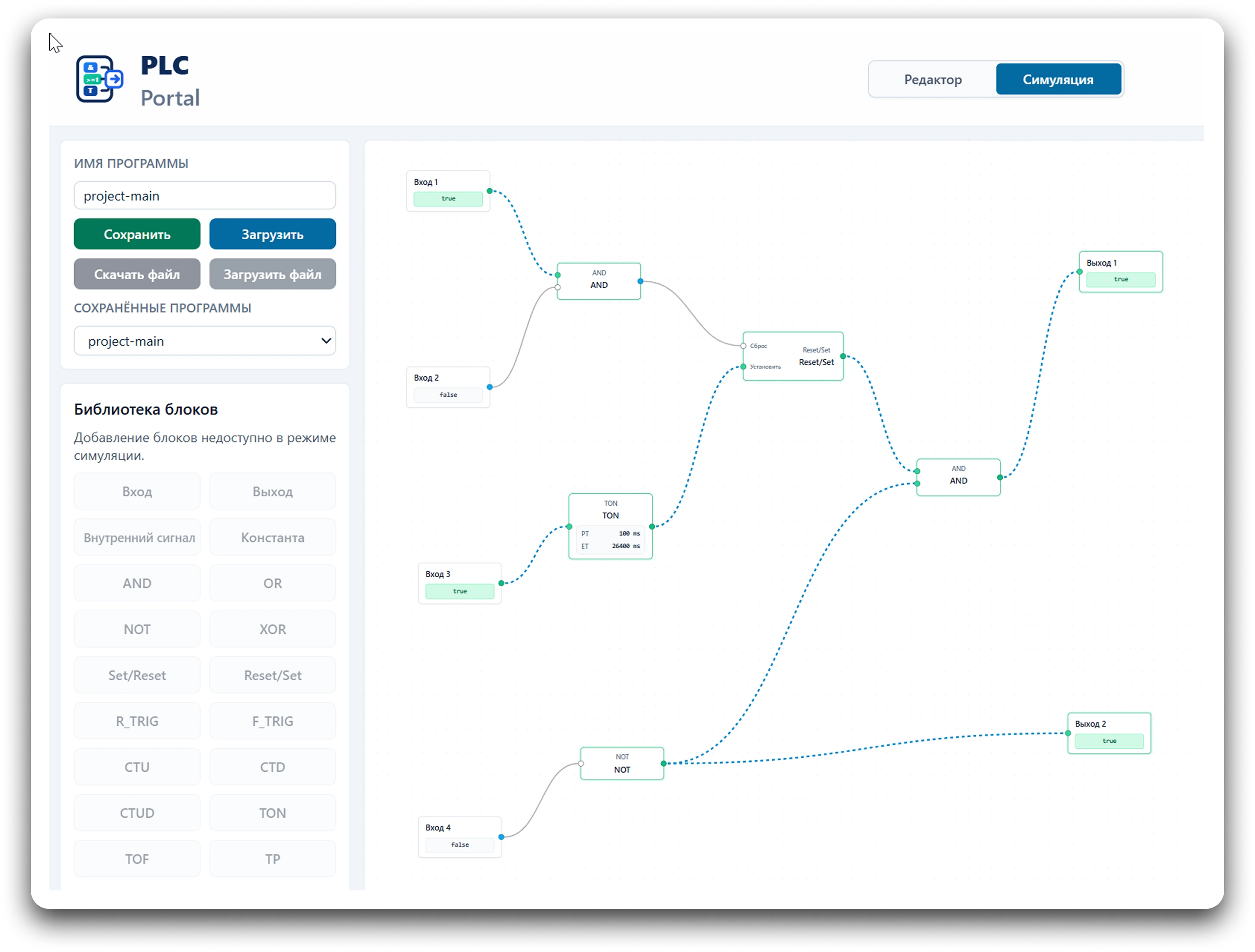
PLC Portal interface with an FBD graph and simulation panel

Simulator capabilities

What you can do in the simulator

  • build FBD diagrams from function blocks;
  • toggle input signals and check the response;
  • run PLC logic simulation in the browser;
  • inspect output states and intermediate signals;
  • open ready-made learning examples;
  • save and load FBD programs through the project features available to your account.

Learning and quick checks

Who it is for

  • junior engineers learning PLC logic;
  • students in automation and electrical programs;
  • teachers demonstrating Function Block Diagram behavior;
  • specialists who need a quick check for simple discrete logic;
  • anyone learning PLC and FBD fundamentals.

Simulation flow

How the simulation works

  1. 1You assemble a graph from FBD blocks on the visual canvas.
  2. 2Block outputs are connected to other block inputs.
  3. 3The diagram is compiled into a normalized runtime structure.
  4. 4After the simulation starts, you can change input signals.
  5. 5The result is visible on outputs, internal values, and the status panel.

FBD library

Supported FBD elements

The runtime, domain model, and project format include support for these FBD block groups. Some elements may be temporarily hidden from the visible palette while their editing UI is being stabilized.

Inputs and outputs

INOUTCONST

Logic

ANDORNOTXORMOVE

Triggers

RSSRR_TRIGF_TRIG

Timers

TONTOFTP

Counters

CTUCTDCTUD

Practice

Ready-made examples

Open the example library to load a training FBD diagram into the editor and verify its behavior in simulation.

Go to examples
  • start/stop logic;
  • TON timer;
  • RS/SR trigger;
  • interlock;
  • decoder;
  • conveyor logic.

Limitations

What to keep in mind

The simulator is intended for learning and checking logic at the FBD diagram level. It does not replace industrial PLC programming software and is not intended for direct program download to a real controller.

FAQ

Common questions

Do I need to install software?

No. PLC Portal runs in the browser, so you do not need a local engineering environment to read the lessons or open the editor.

Can I use the simulator for free?

Public learning materials and examples are available for study. Project saving features depend on the current account and authorization setup.

Is the simulator suitable for learning FBD?

Yes. The learning pages, examples, and simulation workflow help explain signals, logic blocks, timers, triggers, and the PLC scan cycle.

Can I open a ready-made example?

Yes. Choose a diagram in the example library and open it in the editor to run and inspect the logic.

Does PLC Portal replace industrial PLC software?

No. PLC Portal is for learning, explanation, and early FBD logic checks, not for downloading programs to real controllers.

Do I need an account to read the learning materials?

No. Learning pages and the example catalog can be viewed without registration.

Ready to check FBD logic?

Open the editor for your own diagram or start from a ready-made learning example.